Working CRM Records
Working CRM Records
YouEx.ai organizes CRM work into four main record types:
- Leads
- Contacts
- Companies
- Opportunities
Each record can include research, notes, tags, custom fields, CRM Actions, and related email activity. Use the sections below as the day-to-day operating guide for the AI CRM.
Leads
The Leads page is where most early-stage work begins.
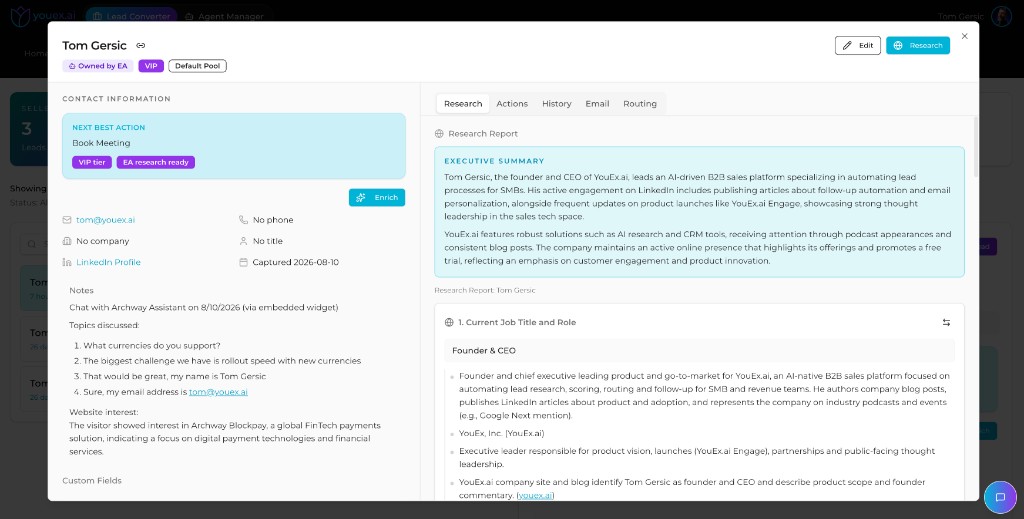
Open a lead to review:
- core contact details (email, phone, company, title, LinkedIn)
- ownership, pool, tier, and status badges
- Next best action guidance on the record
- chat or capture summaries when the lead came from a Web Agent
- research, enrichment, email, and routing tabs
Use Leads to:
- review inbound or newly created records
- edit core information
- add notes and custom fields
- run research or enrichment
- draft emails
- convert qualified leads into opportunities
Typical lead workflow
- Open the lead.
- Review contact and company details.
- Check notes, custom fields, tags, and any chat summary.
- Run research or enrichment if needed.
- Follow the Next best action when it is clear.
- Draft outreach.
- Add a CRM Action for the next step.
- Convert the lead when it becomes real pipeline.
Contacts
Use Contacts for people at companies after they have moved beyond simple lead capture.
Common contact tasks:
- update contact information
- link a person to a company
- review notes and related activity
- add logged or scheduled CRM Actions
- run research on an existing relationship
Companies
Use Companies for account-level context.
Common company tasks:
- review company details (industry, website, type, status)
- view related contacts
- run company research
- log activity and follow-up
Opportunities
Use Opportunities for active pipeline and revenue work.
You can work opportunities in List or Kanban view. Kanban stages typically run from Prospecting through Closed Won / Closed Lost, with pipeline totals for the period at the top of the page.
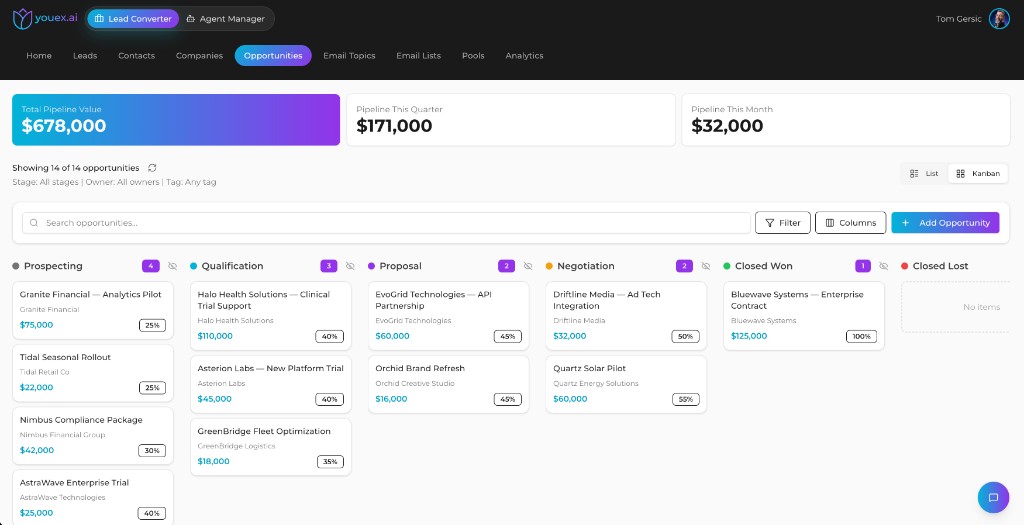
Common opportunity tasks:
- update stage and probability
- track amount and expected close date
- link the opportunity to a company and primary contact
- add tags, notes, and custom fields
- draft or schedule follow-up email from the opportunity
- log meetings, calls, and follow-up actions
Email on an opportunity
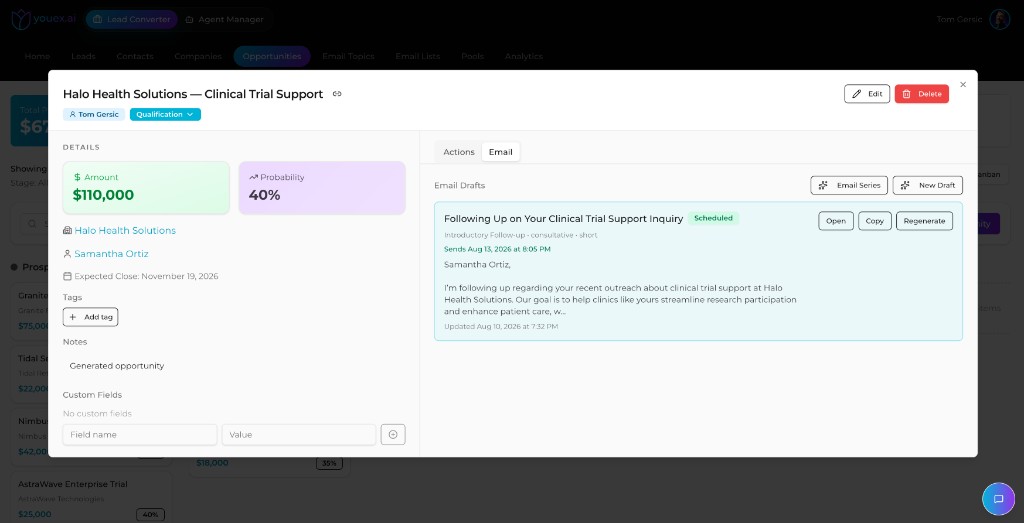
Open an opportunity and use the Email tab to draft, regenerate, or schedule outreach grounded in the deal context.
For broader email workflows (topics, lists, and campaigns), see Email Outreach.
Relationship maps
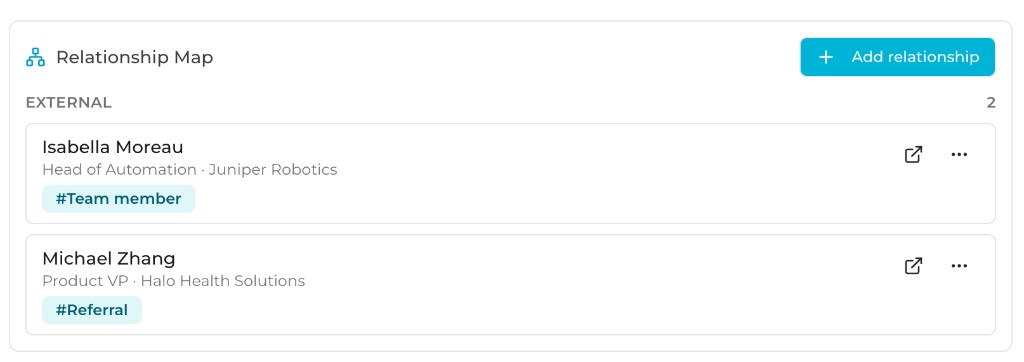
Use Relationship maps to see who sits around a deal or account, not just a single contact.
Add external relationships with role tags such as team member or referral so coverage is obvious before a deal stalls on one thread. Click through from the map into the contact or lead record for research, email, and next actions.
Access the CRM outside the web app
The same workspace CRM is available from:
- ChatGPT App and Claude / MCP — search, create, and update records in natural language. See MCP Server.
- Slack — search records, view and edit leads, and receive high-intent alerts. See Slack Integration.
Keep email activity in the CRM with scheduled agents
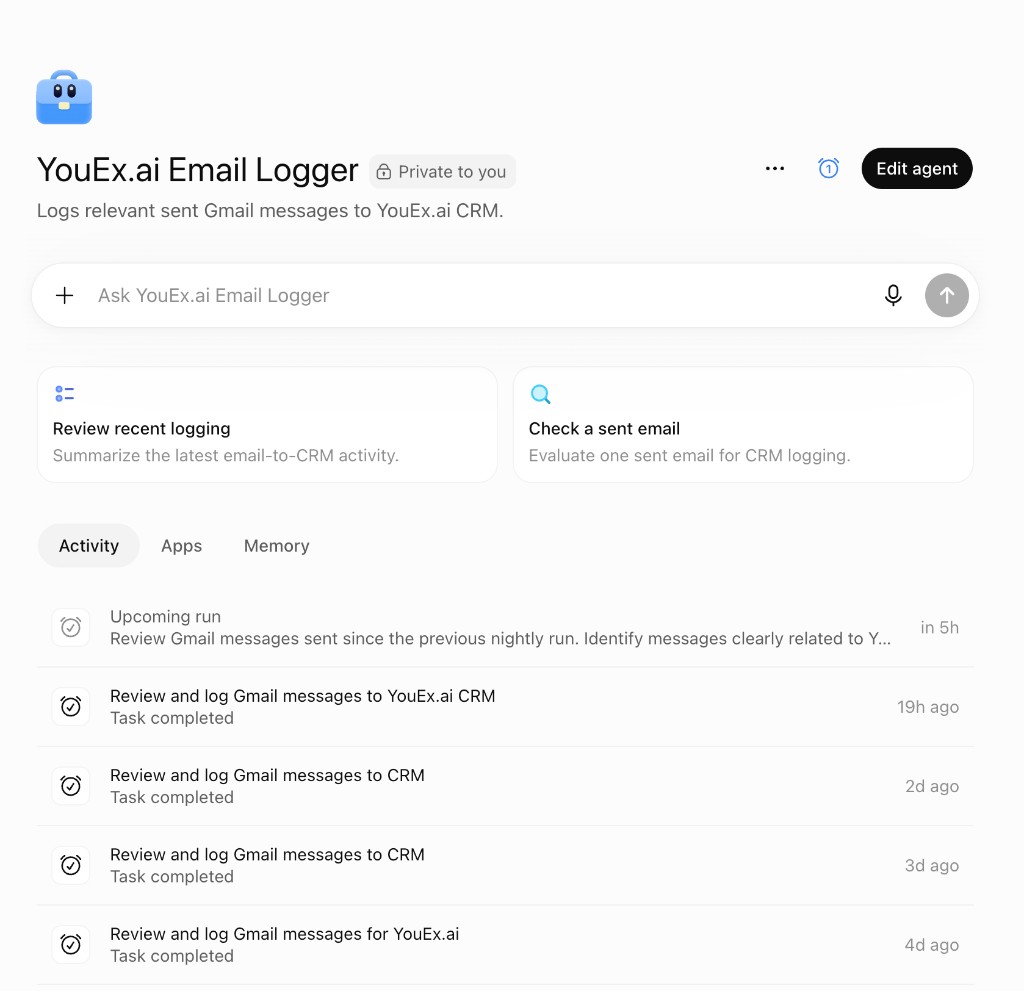
You can use a scheduled ChatGPT Agent (for example an Email Logger) to review sent Gmail messages on a nightly cadence, identify messages clearly related to sales, and log relevant activity into YouEx.ai so the CRM stays current without manual entry.
Record hygiene tips
Keep records useful by:
- updating notes when context changes
- keeping titles and companies accurate
- removing ambiguity in custom fields
- logging follow-up work as CRM Actions instead of keeping it private
- mapping buying-committee contacts before enterprise deals go single-threaded