Email Outreach
Email Outreach
YouEx.ai supports both individual draft emails and larger list-based outreach workflows.
You've got your agents capturing leads, research running automatically, and routing sending the right leads to the right reps. The last piece of the workflow is getting the right message to the right person at the right time.
Good email is personal. Here's how we make it that way.
The best email your rep ever sent wasn't a template. It was the one where they actually knew something about the person they were writing to: their role, their company, what they were trying to accomplish. And they wrote accordingly.
That's exactly what YouEx.ai is built to do. Every draft it generates starts from a real research profile. That includes your lead's company website, their public presence, their role, their industry context, and the specific conversation they had with your agent. Your rep gets a head start that would have taken them 20 minutes to build manually.
The goal isn't more emails. It's better emails.
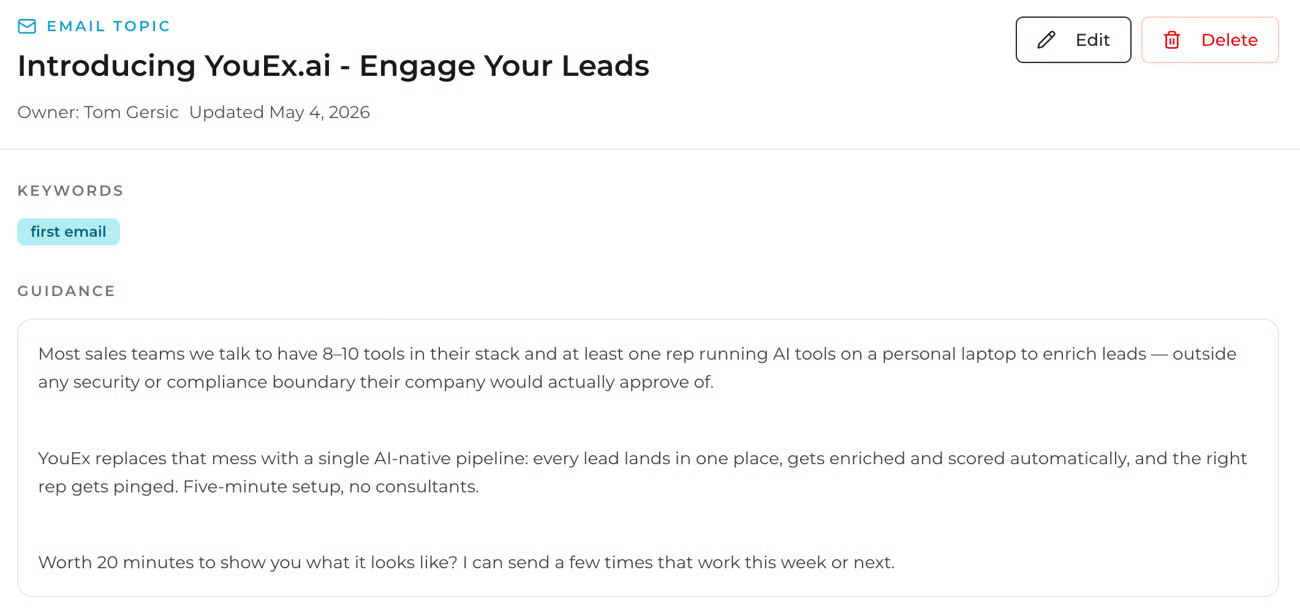
Email Topics — your reusable outreach themes
Before you send anything, create an Email Topic. An Email Topic is the core message you want to send, written in raw form as guidance. Think of it as what you'd tell a new rep before they got on the phone: here's the problem we solve, here's how to frame it, here's the ask. YouEx.ai takes that guidance and tailors it for each lead automatically — adjusting the framing based on their role, company, and context.
You write the message once. The system makes it relevant to every person on your list.
Find Email Topics in Lead Converter → Email → Topics.
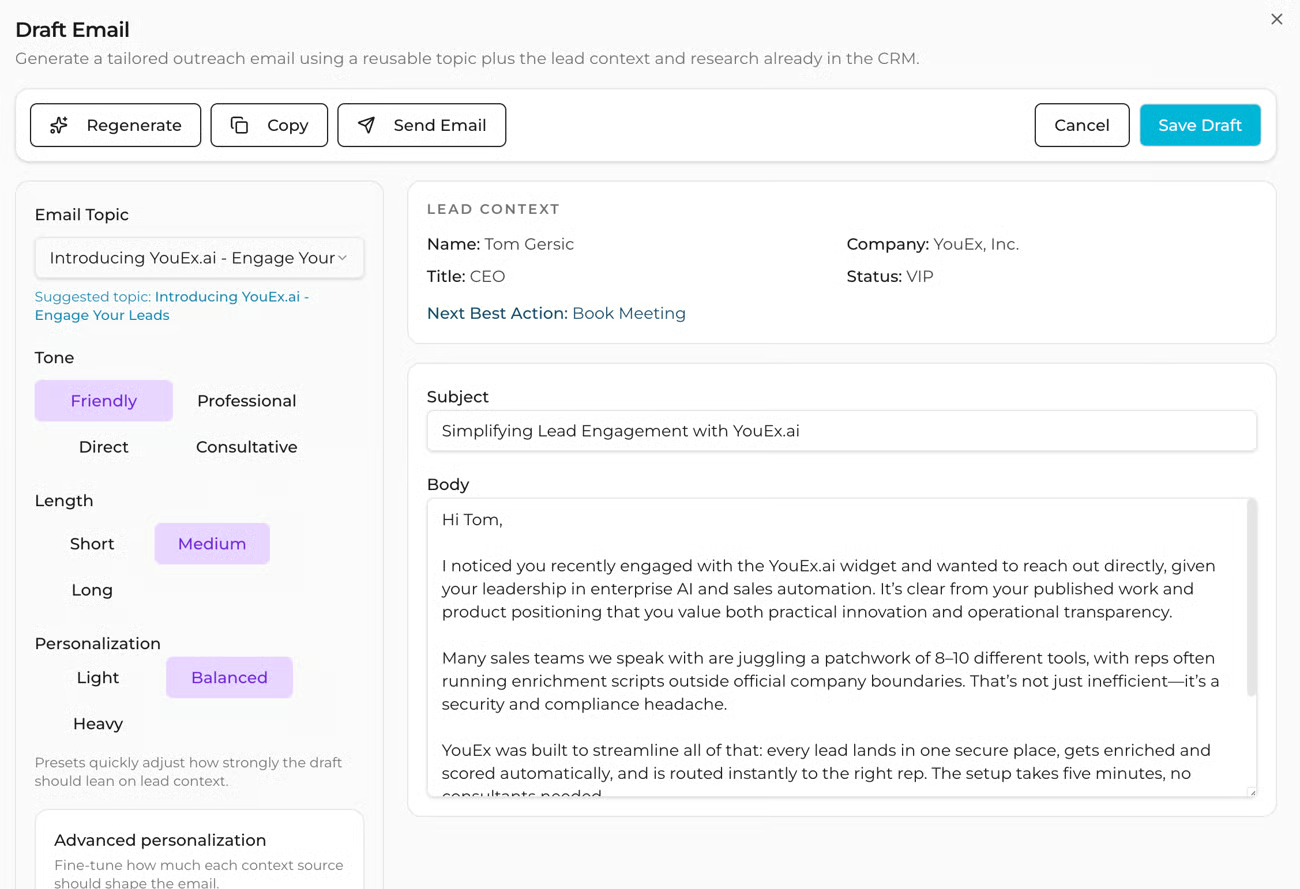
Sending an individual email from a lead record
From any lead record you can generate a draft, adjust the tone, length, and personalization, manually edit the subject and body, regenerate the copy if needed, and send. All without leaving the lead view.
This is the fastest way to send a personalized follow-up the moment a lead hits your inbox.
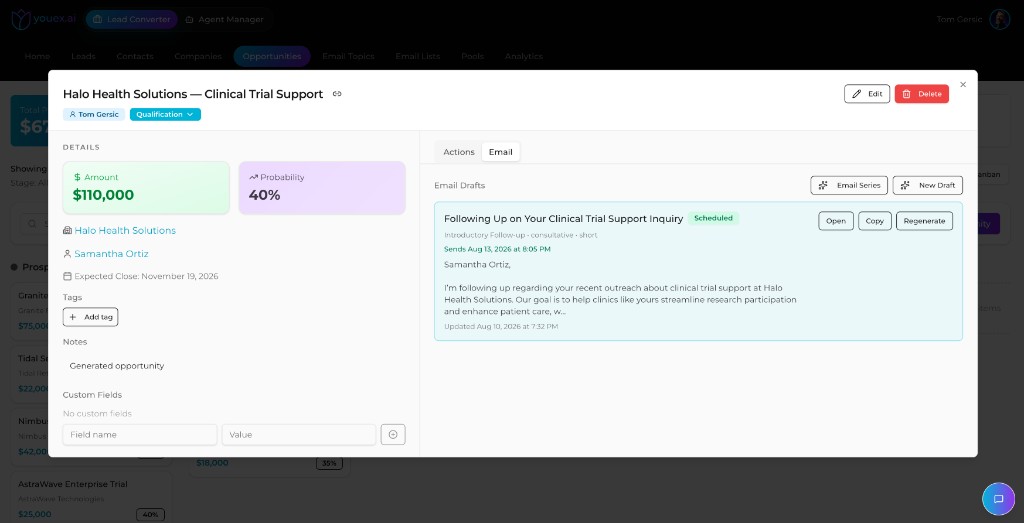
Sending from an opportunity
You can also draft and schedule email from an Opportunity. Open the deal, go to the Email tab, and generate a follow-up grounded in opportunity context (company, contact, stage, and notes). Use Open, Copy, or Regenerate as needed, then schedule or send.
This is useful when the conversation has already moved into pipeline and you want deal-specific follow-up instead of a fresh lead intro.
Email Lists and Campaigns — for segmented outreach at scale
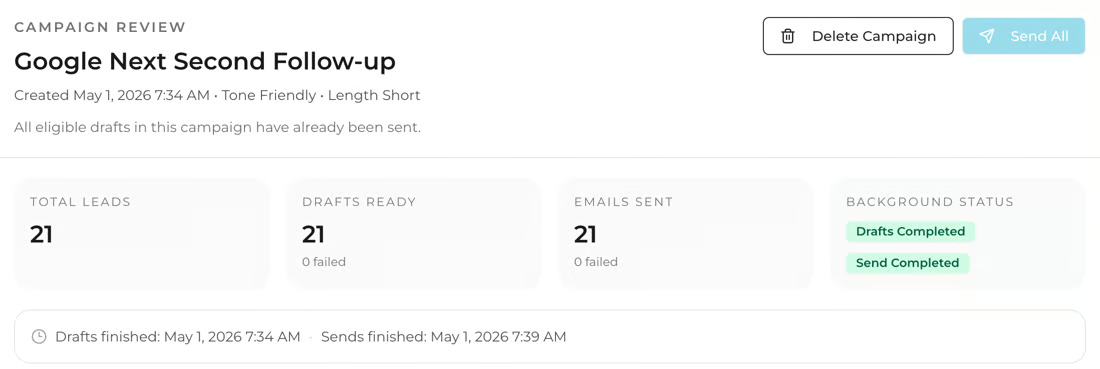
When the same core message applies to multiple leads, use a Campaign:
- Create an Email List, which is a saved group of leads
- Add leads manually or by tag
- Select an Email Topic to generate drafts for the whole list
- Review each draft and adjust anything that needs a personal touch (or don't, it's up to you)
- Send the campaign!
Each draft is generated individually using that lead's research profile, so every email is personalized even when you're sending at volume.
A few things worth knowing
Sending uses your User Profile connected Gmail account or your workspace-managed sender. If the Send button is disabled, the most common reasons are a missing lead email address, no Email Topic selected, or an empty subject or body.